Verity Mod MinecraftVerified Minecraft mod download guide
English
multiplayer guide

Verity Mod Multiplayer: Server Setup and Compatibility

Short answer: multiplayer is a compatibility question, not a promise that every Verity download works on every server. The source-checked Java baseline is Verity JE 6.0.0-beta.6 for Minecraft 1.20.1 with Forge, but the public project metadata does not by itself confirm a universal dedicated-server path. Use this guide to compare the client, server, loader, file and world before you test with friends.

Editorial illustration connecting a Minecraft player client, a server and a backup world for Verity Mod multiplayer checks
Editorial illustration, not a real gameplay screenshot: a multiplayer test needs a matching client, server profile and backup world.
freshness check

Verity JE Facts to Record Before Multiplayer Testing

Project Verity JE on Modrinth, project ID on1Y0osD
Checked release 6.0.0-beta.6, published August 18, 2026
Minecraft profile 1.20.1 with Forge
Primary file verity-6.0.0-beta.6.jar, 257,909,392 bytes
Checked date August 19, 2026
the direct answer

Can You Play Verity Mod in Multiplayer?

Searches for verity mod multiplayer usually hide three different questions: can two players enter the same world, can a hosted server load the mod, and does the Verity behavior appear for everyone? They are related, but they are not the same test. A LAN world, a self-hosted Forge server and a managed host such as Aternos can expose different limits.

The safest answer is conditional. The checked Modrinth project exposes a Java release for Minecraft 1.20.1 and Forge, so that is the profile to record first. It does not make every server configuration compatible, and a project page should not be treated as proof that a dedicated server supports every mechanic. Start from the current project instructions and the server log rather than from a video that uses an older file.

If your goal is simply to play with a friend, create a disposable 1.20.1 Forge profile, back up the world, and test the mod alone before adding voice chat, shaders or a larger modpack. If the base profile cannot load cleanly, adding a server or extra dependency only makes the evidence harder to read.

Question What the current source supports What you still need to verify
Java profile Verity JE 6.0.0-beta.6 is listed for Minecraft 1.20.1 with Forge Your launcher and server use the same target profile
Multiplayer A matching Java profile is a useful starting point Whether the current build loads and behaves on your chosen server
Aternos or managed host A server panel may offer compatible Forge software Whether Verity JE is available and permitted for that exact profile
Bedrock / MCPE The Java .jar is not a Bedrock package Use a Bedrock source and its own multiplayer instructions
source boundary

What the Official Project Source Proves—and What It Does Not

The official project page is the right place to confirm project identity, release names, Minecraft versions, loaders and file names. For this check, the Modrinth API listed Verity JE 6.0.0-beta.6, published August 18, 2026, for Minecraft 1.20.1 with Forge. The primary file was verity-6.0.0-beta.6.jar and the CDN response returned HTTP 200 with application/java-archive when checked on August 19, 2026.

Those facts answer the source and freshness part of the decision. They do not prove that the mod is server-only, client-only, required on both sides or tested on every managed host. Do not turn an absent server note into a confident yes. Treat a clean project description as the starting evidence, then confirm the current loader, dependencies and log behavior in your own test profile.

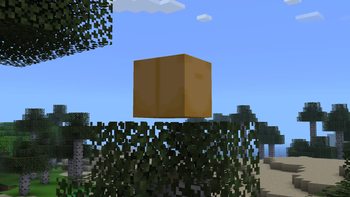
The image below is official Verity JE project media from Modrinth. It helps identify the project, but it is not a multiplayer screenshot and it does not demonstrate dedicated-server support. Keeping that distinction visible prevents a gallery image from doing the work of a compatibility test.

Official Verity JE Modrinth gallery image showing the animated box in a Minecraft world
Official Verity JE project media from Modrinth. It identifies the Java project; it is not evidence that a particular server host supports multiplayer.
version matching

Match the Client, Server and File Before You Start

A multiplayer setup fails most often when one part of the profile is almost right. Minecraft 1.20.1 is not interchangeable with another game version, and Forge is not a generic label that can be swapped for Fabric or NeoForge. The file name also matters: a valid .jar from a different release can still be the wrong file for your profile.

For the checked baseline, write these values down on both sides of the connection: Minecraft 1.20.1, Forge, Verity JE 6.0.0-beta.6 and verity-6.0.0-beta.6.jar. If the server host gives you a different Forge build or a different project version, stop and compare the official version list. Do not rename a file to make a panel accept it; the name can change while the internal metadata remains incompatible.

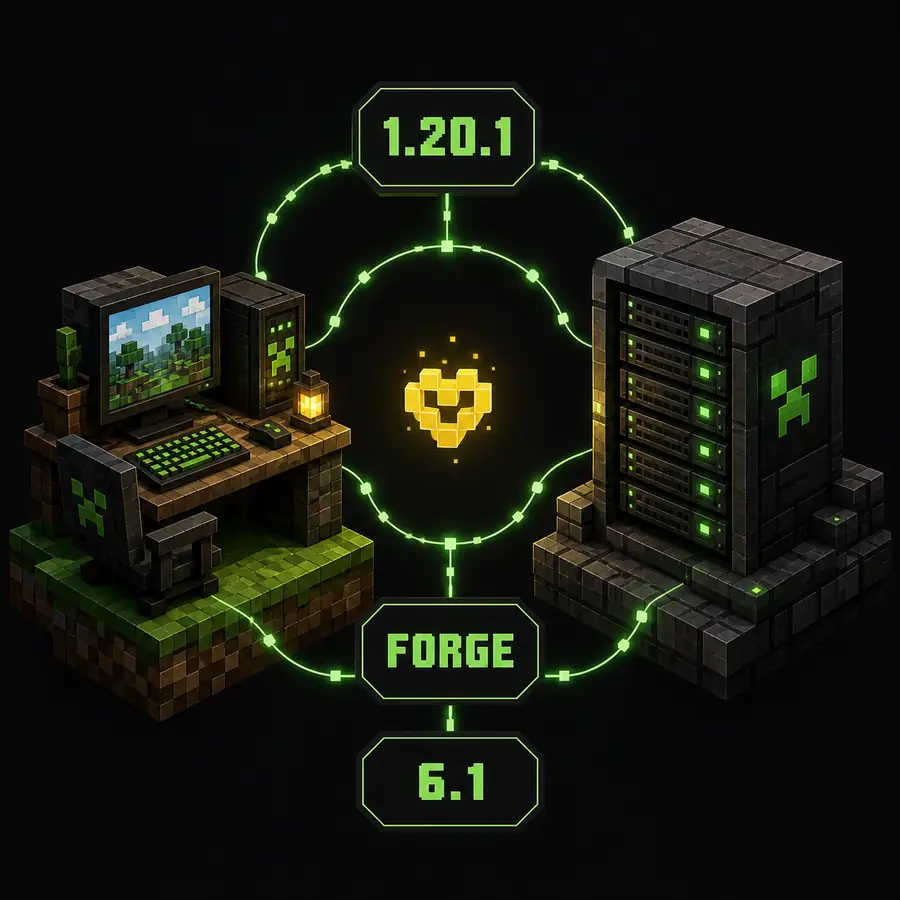
The illustration below is an editorial compatibility diagram, not a launcher or server screenshot. Use it as a reminder that multiplayer needs matching facts, not just a successful download button.

Editorial diagram showing Minecraft 1.20.1, Forge and Verity JE 6.0.0-beta.6 connecting a player computer to a server
Editorial concept illustration, not a real launcher or server screen: check Minecraft 1.20.1, Forge and Verity JE 6.0.0-beta.6 together.
Profile field Checked baseline Mismatch to avoid
Minecraft 1.20.1 A 1.21.x or older profile copied from a video
Loader Forge Fabric, NeoForge or a loader with a similar name
Project version Verity JE 6.0.0-beta.6 Keeping an old release from an outdated tutorial or re-upload
File verity-6.0.0-beta.6.jar Renamed archives, unknown installers or duplicate old jars
safe test flow

How to Test Verity Mod Multiplayer Safely

This order is slower than copying a full modpack into a server, but it gives you useful evidence. A clean single-mod test tells you whether the problem is the Verity file, the server loader, a missing dependency or an unrelated mod. It also makes a support request much easier because you can report the version and the first error instead of a long list of guesses.

If the current project documentation does not describe a dedicated-server route, document that limitation rather than filling the gap with a random mirror. A guide can help you test compatibility without claiming that an unsupported host configuration is official.

1

Record the source

Open the recognizable Verity JE project page and write down the release, Minecraft version, loader and file name. Keep the check date beside the notes.

2

Build a clean profile

Create a separate Minecraft 1.20.1 Forge profile. Test Verity JE 6.0.0-beta.6 without shaders, voice mods or a large modpack first.

3

Prepare the server

Use a server profile that names the same game version and loader. Follow the current host or project instructions instead of uploading a renamed file.

4

Back up the world

Copy the world before connecting friends. A backup makes it possible to remove the test setup without risking an important save.

5

Join with one player

Connect one client, read the server console and check whether the expected mod loads. Save the exact error before changing anything.

6

Add friends last

Only invite the rest of the group after the base connection is stable. Add optional mods in small batches so a failure stays diagnosable.

managed hosts

How to Approach an Aternos Server

Aternos questions appear in the server and question keyword tabs because players want a quick answer: select a Forge server, add the mod and invite friends. The practical route has one extra gate: Aternos must offer the exact software and project version you need. A generic Forge selector is not proof that every mod is available or permitted.

First choose Minecraft 1.20.1 and the Forge server software that matches the client profile. Then search the Aternos mod list for Verity JE, inspect the available version and compare it with the official Modrinth project. If the panel does not list the project, do not use a renamed .jar, a third-party installer or an unofficial upload to bypass the missing entry.

After the server starts, read the console and connect from a clean client. A successful boot is only one checkpoint: the client may still reject the server because the loader, mod list or dependency set differs. Keep the backup and the exact source URL so you can roll back when a managed host changes its available versions.

  • Use the host's supported Forge and Minecraft version combination, not just the word Forge.
  • Check whether Verity JE is available in the host's own mod list before looking for any upload path.
  • Keep the client and server mod lists intentional; remove duplicate old Verity files.
  • Do not present a successful Aternos boot as proof that every Verity mechanic works for every player.
  • Keep a fresh-world backup because a server test can change world data or player expectations.
troubleshooting

If Verity Mod Works in Single-Player but Not Multiplayer

Start with the smallest difference. Compare the single-player launcher profile against the server profile line by line: Minecraft version, Forge version, Verity release, file name, dependencies and Java runtime. Do not begin by changing the world or downloading a replacement file.

If the server starts but the client is rejected, the log normally gives a more useful clue than the search result. Look for a missing mod, wrong loader, wrong game version or a required dependency. If the client joins but Verity behavior is absent, check whether the behavior is expected to run server-side, client-side or only after a specific in-game event; do not infer the answer from a screenshot.

If the error mentions voice, microphone, TTS or an API response, switch to the voice or AI setup guide after confirming that the base multiplayer profile loads. Multiplayer transport and AI provider configuration are separate troubleshooting layers.

Symptom First comparison Avoid
Server will not start Forge, Minecraft version, mod file and dependencies Replacing the file with an unknown mirror
Client says missing mod Client/server mod list and exact Verity release Assuming the newest file is always the right file
Players join but behavior is missing Project instructions, event triggers and log messages Calling the mechanic broken from one scene
Voice or AI fails Base mod load, then voice/API settings Mixing a provider error with server compatibility
page boundary

When to Use Another Verity Mod Guide

Use this page when the question contains multiplayer, server, Aternos, playing with friends or a client/server mismatch. Use the Java guide when you need the source-checked .jar and Forge installation path. Use the general install guide when you are setting up Java or Bedrock for the first time without a multiplayer-specific failure.

The Bedrock guide owns MCPE and Bedrock package questions; a Java .jar is not a Bedrock add-on. The voice setup guide owns microphone, TTS and voice-chat problems, while the AI setup guide owns Groq keys, model selection and provider errors. Keeping these boundaries separate prevents one page from promising a fix for a problem it cannot verify.

  • Multiplayer, server and Aternos setup belong here.
  • Java file, Forge profile and source facts belong on the Java guide.
  • Bedrock or MCPE package handling belongs on the Bedrock guide.
  • Microphone, TTS and voice chat belong on the voice setup guide.
  • Groq keys, model selection and API responses belong on the AI setup guide.
final answer

The Practical Verity Mod Multiplayer Answer

You can investigate Verity Mod multiplayer from a solid Java baseline, but the correct answer is not a blanket yes. Start with Verity JE 6.0.0-beta.6, Minecraft 1.20.1 and Forge as the source-checked facts for August 19, 2026. Then verify whether the current project and your chosen host support the same profile on the server side.

A clean profile, matching files, a new test world and an honest reading of the server log will tell you more than a download page or old video. If the host does not list the project or the source does not document the path, stop at that boundary and use a supported source rather than forcing an unverified upload.

continue with the right guide

Related Verity Mod Guides

multiplayer faq

Verity Mod Multiplayer FAQ

Can you play Verity Mod multiplayer?

The public Verity JE project confirms a Java 1.20.1 Forge release, but that metadata alone does not guarantee dedicated-server support. Match the client and server setup, then test in a separate world before inviting other players.

What Verity Mod version should I test for multiplayer?

The source check on August 19, 2026 found Verity JE 6.0.0-beta.6, published August 18, 2026 for Minecraft 1.20.1 with Forge. Recheck the Modrinth project page because the version can change after this date.

Can I add Verity Mod to an Aternos server?

Only when the server software, Minecraft version, loader and project availability all match. If Verity JE is not available in the server panel, do not upload a renamed or unrelated file just to force it.

Does every player need the Verity Mod file?

Do not assume that one-sided installation is enough. For a Java mod, follow the project instructions and use matching client and server profiles when the mod requires it. The exact requirement should come from the current project and the server log.

Why does Verity Mod work in single-player but not multiplayer?

Common causes include a different Minecraft version, Forge build, mod file, server loader, required dependency or server-side availability. Compare the full profile before changing unrelated files.

Is Verity Mod multiplayer the same as voice chat?

No. Multiplayer compatibility is about the game profile, server and mod loading. Microphone, TTS and voice-chat questions belong on the separate voice setup guide.