Verity Mod MinecraftVerified Minecraft mod download guide
English
comparison and source guide

Minecraft Horror Mods: 3 Scary Picks Like Verity

Short answer: choose the fear pattern you actually want instead of downloading the first scary thumbnail. From The Fog is the strongest starting point for atmosphere and slow discovery; The Man From The Fog is built around a direct stalker; The Knocker turns sleep, sound and windows into pressure. The three are separate projects from Verity, and each must be matched to its own Minecraft version, loader and source page.

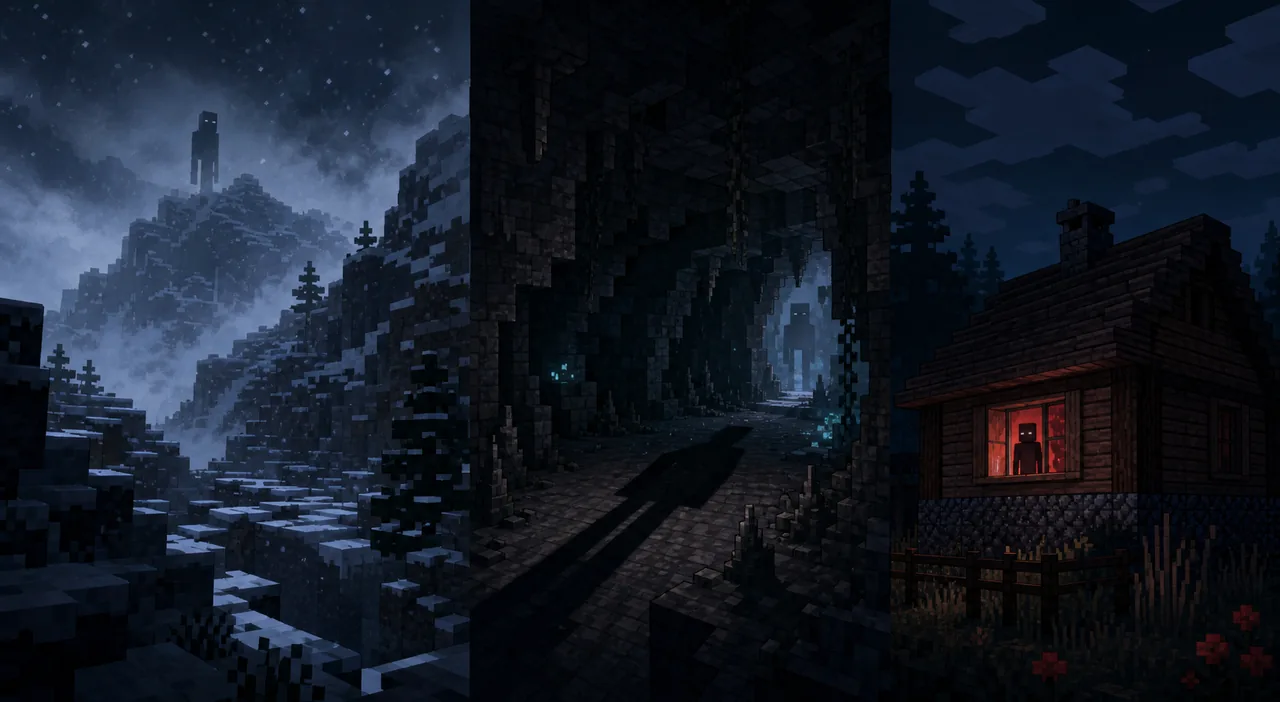
Editorial illustration showing three Minecraft-inspired horror scenes: a snowy watcher, a dark cave and a figure outside a house window
Editorial illustration, not gameplay or official project media. The three scenes represent atmosphere, underground pursuit and window-based tension used as comparison axes below.
answer first

The Fastest Way to Choose a Minecraft Horror Mod

Best atmosphere From The Fog: gradual discovery, Herobrine legend and world changes
Best direct chase The Man From The Fog: a stalking creature and Forge-focused setup
Best sound and sleep tension The Knocker: an unpredictable stalker, signs and visits while sleeping
Checked compatibility Each selected project lists a Minecraft 1.20.1 release in its version history
Source rule Use the named project page; do not treat a video thumbnail or mirror as proof
separate the intent

What Makes These Minecraft Horror Mods Different From Verity?

A search for Minecraft horror mods can mean several different things. Some players want a quiet world that slowly feels wrong. Others want a monster that actively follows them. A third group wants a short multiplayer scare, a strange sound at night or an entity that turns a familiar house into a trap. A useful comparison therefore starts with the experience, not with a ranking based only on downloads.

This page is a recommendation and compatibility guide. It does not replace the Verity Horror guide, which explains the ThatMob ARG, Verity Demon, darkness and current Verity JE facts. These projects are not Verity releases, and their creators, files and licenses are separate. Verity is used here as a reference point because many players who search for Verity also want a source-checked Minecraft horror experience.

The project pages are the authority for exact files and release notes. The descriptions and version histories checked for this article show useful 1.20.1 options, but a compatible version is not the same as a promise that every modpack, shader, performance mod or world will behave perfectly. Treat the table as a starting filter, then read the source page for the profile you plan to launch.

Project Fear pattern Checked 1.20.1 path Who should choose it
From The Fog Slow discovery and atmosphere 1.9.2; Forge or Fabric Players who want the world to feel increasingly watched
The Man From The Fog Direct creature stalking 1.4; Forge Players who want one clear threat and a tighter survival loop
The Knocker Sound, signs, sleep and windows 1.5.2; Forge Players who enjoy anticipation and an unpredictable visitor
pick one

From The Fog: Best for Atmosphere and Gradual Discovery

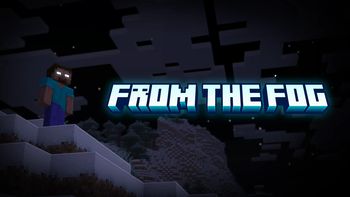
From The Fog is the closest fit for the search phrase the scariest Minecraft mod when the player wants a world that changes the meaning of ordinary exploration. Its project description presents a Herobrine-focused horror experience, while its gallery shows snowy terrain, forests, structures and distant encounters. The appeal is not only a jump scare. It is the suspicion that a normal landscape contains a pattern you have not understood yet.

The source history checked on August 4, 2026 lists version 1.9.2 for Minecraft 1.20 and 1.20.1 with Forge and Fabric. The same project also lists newer releases for later Minecraft versions, so do not copy the newest version number into a 1.20.1 profile. Open the From The Fog project page, choose the release that matches your launcher and check whether you need the mod file, data pack or resource pack path.

This is a good first pick for players who prefer mystery over constant combat. Test it in a new world and let the environment do some of the work. If you add a large modpack immediately, extra structures, lighting changes or performance settings can make it difficult to tell which behavior came from From The Fog.

Official From The Fog Modrinth gallery image showing a distant Herobrine figure above a snowy Minecraft landscape
Official From The Fog gallery media from its Modrinth project page. It is shown as source media for the project, not as a screenshot of Verity.
  • Choose this when atmosphere, exploration and the Herobrine legend matter more than a constant chase.
  • For 1.20.1, verify the 1.9.2 release and its Forge or Fabric loader before opening the file.
  • Keep the data pack, resource pack and mod instructions together if the selected release requires more than one part.
direct threat

The Man From The Fog: Best for a Stalking Creature

The Man From The Fog answers a different version of the Minecraft horror mods query. Its project description is direct: it adds a creature that stalks the player. That creates a clearer threat loop than an atmosphere-first project. You can still use darkness and distance to build tension, but the core question becomes whether you can prepare, move and survive while something is following you.

The checked project history lists version 1.4 for Minecraft 1.20.1 with Forge, with the release published on November 29, 2024. The project also has older 1.20.1 releases. That distinction matters when a tutorial, modpack or video uses a filename from a previous build. Use the The Man From The Fog project page as the source of the version and file relationship rather than trusting a re-upload.

Choose this mod if you want a compact survival test with a recognizable monster. It may be less suitable for a relaxed shared world because the threat is easier to trigger as a deliberate gameplay feature. Set expectations with anyone else playing, and test the behavior in a disposable world before combining it with other stalker mods.

sound and anticipation

The Knocker: Best for Sleep, Signs and Window Tension

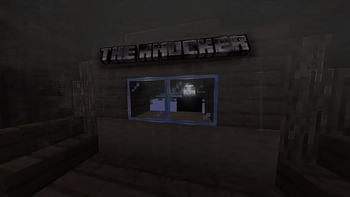
The Knocker is useful when you want a horror mod to make a safe room feel unreliable. Its Modrinth description says the mod adds an unpredictable human-like stalker that follows the player and may visit while sleeping. The project gallery focuses attention on a dark house and a window, which supports a different kind of fear from a monster that simply appears in the open.

The current source check lists version 1.5.2 for Minecraft 1.20.1 with Forge, published June 15, 2026. The project also lists 1.21.1, 1.21.8 and Fabric or NeoForge variants separately. Do not assume the 1.20.1 Forge file works in a newer profile. Open the The Knocker project page and match the game version, loader and file name before installing.

This pick suits players who enjoy anticipation more than a visible boss fight. It also makes a strong short-form test for a small group: everyone can agree on a fresh world, a simple house and a limited mod list, then compare which clues appear. Keep the session reversible because unpredictable events can change the tone of a normal survival save.

Official The Knocker Modrinth gallery image showing a dark Minecraft house window with a figure outside
Official The Knocker gallery media from Modrinth. It is community project media, not an official Minecraft or Verity screenshot.
compatibility check

Why Minecraft Version and Loader Matter More Than the Thumbnail

A horror mod can look compatible in a video and still fail in your launcher because the video uses a different game version, loader or dependency set. The three projects above do not share one universal file. From The Fog has a 1.20.1 Forge/Fabric path in its history, while The Man From The Fog and The Knocker have the checked 1.20.1 Forge paths shown in the table.

For this reason, the page uses source pages rather than direct download buttons. A direct file URL can be tied to a release that changes or disappears, and a mirror may rename the file. The stable action is to open the recognizable project page, inspect the version list and then choose the file that matches your profile. This is the same source-first habit used by the site's Verity Mod Java guide and download center.

Do not treat a project being listed on Modrinth as proof that it is an official Minecraft product. Modrinth is the source host for the project pages checked here; the mod authors and their licenses remain separate from Mojang, Microsoft and Verity. Keep that distinction visible when you share a link or build a modpack.

Before installing What to match Why it prevents a wrong turn
Game version Minecraft 1.20.1 or the version named by the selected file Stops a newer or older build from being loaded into the wrong profile
Loader Forge, Fabric or NeoForge exactly as listed A .jar can be valid and still fail under the wrong loader
Project identity Project name, author page and file name Separates a source page from a copied mirror or unrelated installer
Dependencies Required libraries, data packs or resource packs Prevents a partial install that looks like a broken horror event
safe test flow

How to Test a Minecraft Horror Mod Without Risking Your Main World

The safest test is deliberately boring before the horror begins. Make a backup, create a separate launcher profile and use a new world. Record the project URL, version number and loader. If the mod changes lighting, spawns an entity or adds unusual sounds, you can then remove it from the test profile without guessing which file touched your main save.

A clean test also gives you better troubleshooting evidence. If the mod fails by itself, the log and version match are easier to inspect. If it works alone but fails inside a large modpack, add other mods back in small groups. Do not download a replacement .exe, APK or renamed archive simply because a video promises a secret creature or instant fix.

1

Choose the fear style

Pick atmosphere, direct stalking or sleep and window tension before choosing a project. This prevents a mismatch between the page promise and the experience you want.

2

Open the project page

Use the recognizable Modrinth project page, read the description and confirm the project is the one named in the guide.

3

Match the profile

Check Minecraft version, loader, dependencies and whether the release needs a data pack or resource pack in addition to a mod file.

4

Back up and isolate

Copy your world, launch a separate profile and test in a new save with a small mod list.

5

Add complexity slowly

Only combine it with shaders, performance mods or a larger modpack after the base horror project loads and behaves as expected.

keep the boundary clear

When to Use This Page and When to Use a Verity Guide

Use this page when your question is which Minecraft horror mods to compare, which style feels scariest or how a 1.20.1 source check changes the choice. Use the Verity Horror explained page when you want the ThatMob story, Verity ARG context, Verity Demon or the mechanics claimed by the current Verity JE project.

Use the install guide for a general Java or Bedrock setup path, and the Java guide when the question is specifically the Verity JE .jar, Minecraft 1.20.1 and Forge. A broad related keyword should not turn every page into a duplicate download article. Keeping the boundaries visible gives each searcher a shorter route to the answer they actually need.

  • Minecraft horror mods, scariest mod lists and 1.20.1 comparison intent belong here.
  • Verity ARG, Demon, darkness and story-versus-build questions belong on Verity Horror.
  • Verity Java, Bedrock, download and installation questions belong on their edition pages.
  • AI, Groq, voice, microphone and TTS troubleshooting belong on the existing setup guides.
final recommendation

Which Minecraft Horror Mod Is the Best Pick?

There is no single best Minecraft horror mod for every player. Start with From The Fog if you want the strongest slow-burn atmosphere and a world that rewards attention. Choose The Man From The Fog if a direct stalking creature is the main reason you want horror. Choose The Knocker if you prefer signs, sleep and the feeling that a house is not as safe as it looks.

The practical winner is the project that matches your exact profile and tolerance for disruption. Check the project page, match Minecraft and the loader, back up your world and test in a fresh save. That process is more useful than a generic claim that one thumbnail is the scariest, and it keeps a comparison page separate from the source and lore questions already covered elsewhere on this site.

sources checked

Official Project Pages Checked for This Comparison

continue with the right guide

Related Verity Mod Guides

quick answers

Minecraft Horror Mods FAQ

Which Minecraft horror mod should I try first?

Start with From The Fog if you want a slow atmosphere and discovery. Choose The Man From The Fog for direct stalker pressure, or The Knocker for sound, sleep and window tension. Check the project page for the Minecraft version and loader before installing.

Are these Minecraft horror mods the same as Verity?

No. They are separate projects with different creators, mechanics and source pages. Verity Horror has its own ARG and Verity JE context; this page uses Verity only as a comparison point for the kind of fear a player may want.

Do these horror mods work with Minecraft 1.20.1?

The checked project histories list a 1.20.1 release for each selected project, but their loaders differ. From The Fog lists 1.9.2 for Forge and Fabric, The Man From The Fog lists 1.4 for Forge, and The Knocker lists 1.5.2 for Forge. Confirm the project page again before installing.

Can I use a Minecraft horror mod in my main world?

Use a fresh test world first. Back up your save, create a separate launcher profile, reduce the mod list and test the exact loader and game version before adding a gameplay-changing horror mod to a valuable world.

Where should I download these Minecraft horror mods?

Open the named project's recognizable Modrinth page or another first-party project page, then match the file, loader and Minecraft version. This guide does not host files or turn an external page into a guaranteed safe download.